BibGenie
Zotero AI Plugin
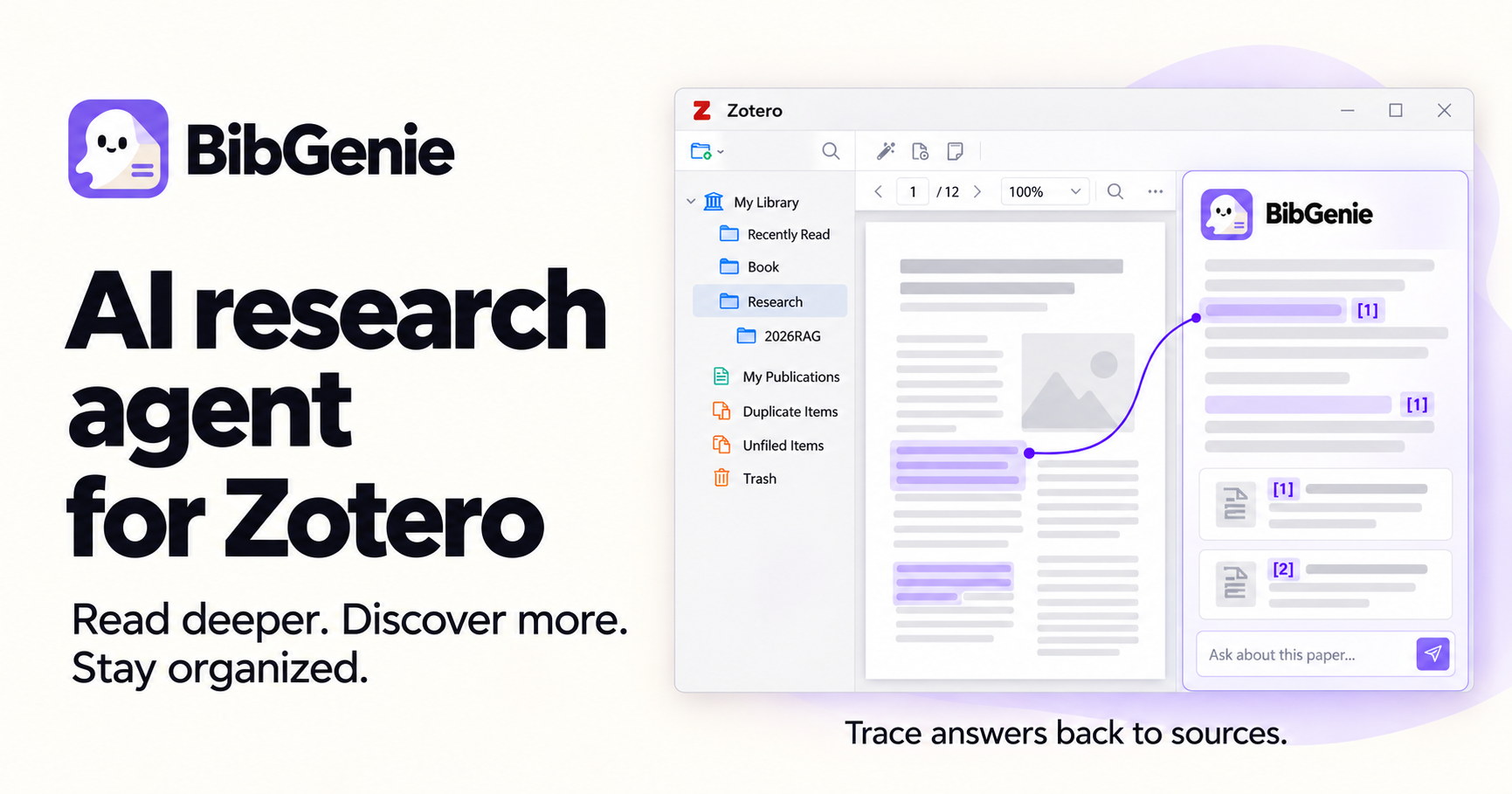
- Zotero-native AI chat in the right sidebar that follows the exact paper and page you are reading
- Add Context to bring items, PDFs, notes, tags, collections, selected text, and current page into one prompt
- Keyword and semantic library search across titles and abstracts
- Save chat answers back as Zotero notes
Introduction
Key Features
- Zotero-native AI chat in the right sidebar that follows the exact paper and page you are reading
- Add Context to bring items, PDFs, notes, tags, collections, selected text, and current page into one prompt
- Keyword and semantic library search across titles and abstracts
- Save chat answers back as Zotero notes
- OpenAlex-powered academic discovery
- Web Search and Web Extract for external information
- BYOK, custom models, Ollama, and LM Studio support
Who is it for
Researchers, graduate students, and academics who use Zotero as their primary reference manager and want an AI assistant that stays inside their existing library workflow.
What can you do with BibGenie
- Ask questions about a paper while reading it in Zotero's Reader or Library
- Trace AI answers back to their original sources
- Search your library by keyword or semantic match and add results as context
- Compare multiple papers side by side using multi-source metadata review
- Save research findings directly into Zotero notes
How does BibGenie work
BibGenie lives docked in Zotero's right sidebar and uses the active item plus the current page as context, so you can ask about what is in front of you without moving your work to a separate AI app. You summon items with @, add PDFs or EPUB text via right-click, and combine selected passages into one prompt. BibGenie searches your library first, then uses OpenAlex, Web Search, and Web Extract when external information is needed.
Pricing
- Free: Get Started For Free, 200 credits every month, OpenAlex and web tools cost 1 credit per successful call
- Pro: $9.99 /month, 10,000 credits every month, no credit cost for OpenAlex, Web Search, or Web Extract
- Max: Max $30 /month, 35,000 credits every month
- Pro Lifetime: Early Bird Deal $359 $199, one-time payment for lifetime access
- Pricing checked on 2026-11-04 from the official website.
FAQ
Do you offer a free plan?
Yes, BibGenie offers a free plan that includes the core Zotero research agent, Add Context, library search, Save as Note, BYOK/custom models, and 200 monthly credits for official models.
Where does my research data go?
Chat records are stored locally in Zotero's database by default and are not uploaded to BibGenie's server.
Verified facts
Official-site details, not a hands-on review
Checked
- Free plan
- YesThe Free plan includes the core Zotero research agent, Add Context, library search, Save as Note, and BYOK/custom models, plus 200 credits per month for official models. On Free, each successful OpenAlex, Web Search, or Web Extract call uses 1 credit.
- Paid from
- 9.99 USD / monthPro Monthly starts at $9.99/month. Other listed options are Pro Yearly at $99/year, Max Monthly at $30/month, Max Yearly at $295/year, and Lifetime at $199 one-time (early-bird pricing that retires after v1.0; the page also shows a $359 regular price). Prices, discounts, and promotions may change; the Pricing page and Stripe Checkout show the final price.
- Platforms
- Zotero 7+, macOS, Windows, Linux
Billing & data
- Pro Monthly includes 10,000 credits per month, Max Monthly includes 35,000, and Lifetime includes 10,000 per month.
- The Credit Booster is a one-time $6.99 purchase of 5,000 credits, valid for 6 months.
- There is no fixed credit cost per paper. Usage depends on the model, input context, output length, and tool use. When credits run low, users can wait for the monthly refresh, upgrade, buy a Booster, or use BYOK/local models.
- Custom chat and embedding requests do not consume BibGenie official-model credits. A cloud provider may charge the user's provider account, while local models use the computer's resources.
- Chat history and the library index are stored locally by default. Custom-model requests go directly from the local Zotero plugin to the configured service; API keys and connection settings stay in Zotero and are not uploaded to BibGenie servers.
Before you choose
- BibGenie is an independently developed Zotero plugin, not a built-in Zotero feature. The official documentation lists support for Zotero 7, 8, 9, and 10.
- Official models, custom providers, and local models use different data routes. A cloud provider receives the conversation or paper context needed for the task, and Web Search and connected services have their own data paths.
- Proposed changes to collections, tags, or metadata are shown for user approval before they are applied.